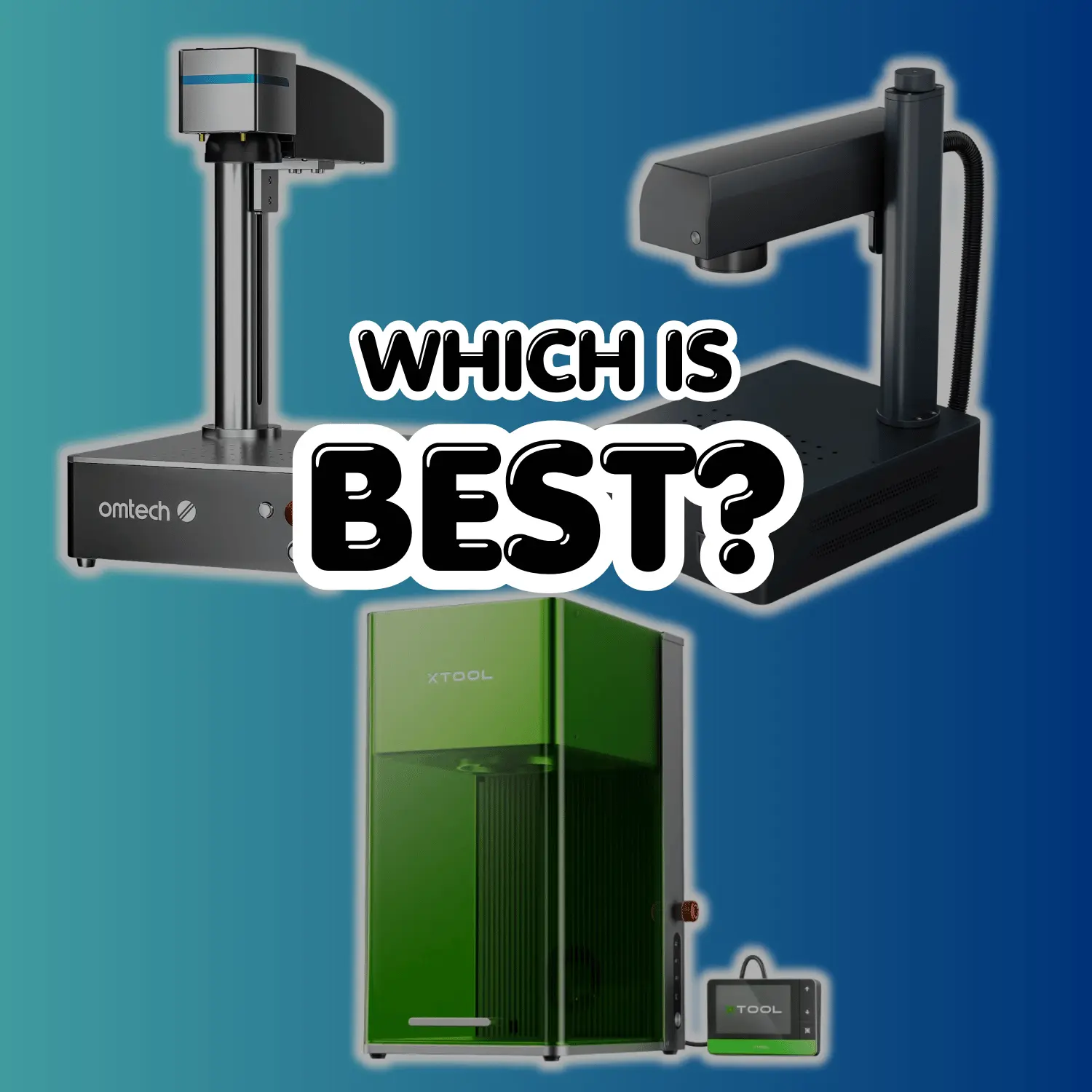

Laser engraving, once considered a high-end technology reserved for industry giants, has now become accessible to individuals and small businesses on a budget. The market is teeming with affordable laser engravers that offer impressive performance without breaking the bank. In this article, we’ll explore the 6 Best Budget Laser Engravers, perfect for those looking to venture into the world of laser engraving without a hefty price tag.
Table of Contents
- Top 6 Budget Laser Engravers
- OMTECH DF0812-40BG – 40W CO2 LASER ENGRAVER
- OMTECH DF0812-40BN – K40 – 40W CO2 LASER ENGRAVER
- OMTECH LIGHT B10 10W DIODE LASER ENGRAVER
- xTool M1 Smart Laser Engraver and Vinyl Cutter
- xTool D1 Pro Desktop Laser Engraver Cutting Machine
- xTool D1 Pro 5W to 10W Desktop Laser Engraver
- How to Make the Right Choice
- Getting Started with Your Budget Laser Engraver
- Safety Precautions and Maintenance
- Conclusion
- Frequently Asked Questions (FAQs)
Our Favorite 6 Best Budget Laser Engravers
Now, let’s explore the six best budget laser engravers that have captured our attention. Each of these engravers offers unique features and benefits, catering to a range of needs and preferences.
OMTECH DF0812-40BG – 40W CO2 LASER ENGRAVER

This model is a desktop 40W Laser Engraver ususally known as a K40 Laser Engraver. It is a great beginner laser engraver however, a con about this one is that it is not compatible with the popular Lightburn software, but if you are familiar with ezcad then you are set & good to go!
Check out this model here: OMTech DF0812-40BG
Get an extra 5% OFF at omtech here: OMTech Discount Code
Features Include:
- 40W CO2 LASER ENGRAVING POWER
- DOUBLE DUTY WORK SURFACE
- DIGITAL CCONTROL & TEMP LCD
- REMOVABLE WORKBED
- RED DOT GUIDANCE
- WATER COOLING SYSTEM
- CERTIFICATIONS: DESIGNED AND ENGINEERED IN USA
- SAFETY ENSURANCE
- 2-YEAR WARRANTY
- TECH SUPPORT
OMTECH DF0812-40BN – K40+ – 40W CO2 DESKTOP LASER ENGRAVER

Now this one is the same as the laser engraver mentioned above BUT, it is compatible with Lightburn which is a huge plus since using lightburn is very user friendly. It is a beginner & budget solution to get started on your laser engraving hobby or business. Go and make some creative crafts!
Check out this model here: OMTech DF0812-40BN
Get an extra 5% OFF at omtech here: OMTech Discount Code
Features Include:
- EFFICIENT 40W LASER TUBE
- LIGHTBURN COMPATIBLE
- ROTARY AXIS COMPATIBLE
- DUAL WORKBEDS
- RED DOT GUIDANCE
- WATER COOLING SYSTEM
- SAFETY ENSURANCE
- 2-YEAR WARRANTY
- TECH SUPPORT
- REMOVABLE BOTTOM PLATE
- DIGITAL AMMETER
OMTECH LIGHT B10 10W DIODE LASER ENGRAVER
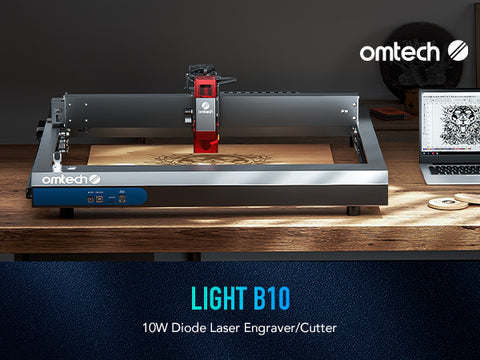
This one from omtech is a Diode Laser Engraver, very different than a CO2 Laser. While you may not have as much power and speed as a CO2 laser engraver, you will get a much easier and versatile machine to use as you can find so much more resources online about diode lasers. Usually with a diode laser you will get much more detail on your crafts due to it being a finer laser.
Check out this model here: OMTech Light B10
Get an extra 5% OFF at omtech here: OMTech Discount Code
Features Include:
- GYROSCOPE DETECTOR
- VISIBLE LIGHT SPECTRUM
- 250 MM/SEC SPEED
- AIR ASSIST
- FIRE SAFETY
- PASSTHROUGH CAPAPBLE
- LIGHTBURN COMPATIBLE
- 400x400MM WORKSPACE
- 2-YEAR WARRANTY
- TECH SUPPORT
XTOOL D1 PRO 10W DESKTOP LASER ENGRAVER

Moving on to xTool which is also one of our favorites, lets take a look at the xTool D1 Pro. This laser engraver is a 10W beast that is very versatile and beginner + budget friendly. You get precision engraving and fast engraving speeds to get your crafts done in no time at all.
Check out this model here: XTOOL D1 PRO
Features Include:
- 400MM/SEC SPEED
- ROBUST DESIGN
- ROTARY COMPATIBLE
- FLAME DETECTOR
- LIMIT SWITCH
- EASY FOCUS
- HIGH PRECISION
- 12-MONTH WARRANTY
- LIGHTBURN COMPATIBLE
XTOOL D1 PRO 20W DESKTOP LASER ENGRAVER

Very similar with included features as the machine mentioned above except that this one includes double the power. Again this one is very versatile now the price may be a bit higher but it is under the $1,000 mark. Going with a more powerful laser engraver gives your more options for cutting and marking to get darker and deeper engravings.
Check out this model here: XTOOL D1 PRO 20W
Features Include:
- 400MM/SEC SPEED
- ROBUST DESIGN
- ROTARY COMPATIBLE
- FLAME DETECTOR
- LIMIT SWITCH
- EASY FOCUS
- HIGH PRECISION
- 12-MONTH WARRANTY
- LIGHTBURN COMPATIBLE
XTOOL M1 SMART LASER ENGRAVER & VINYL CUTTER
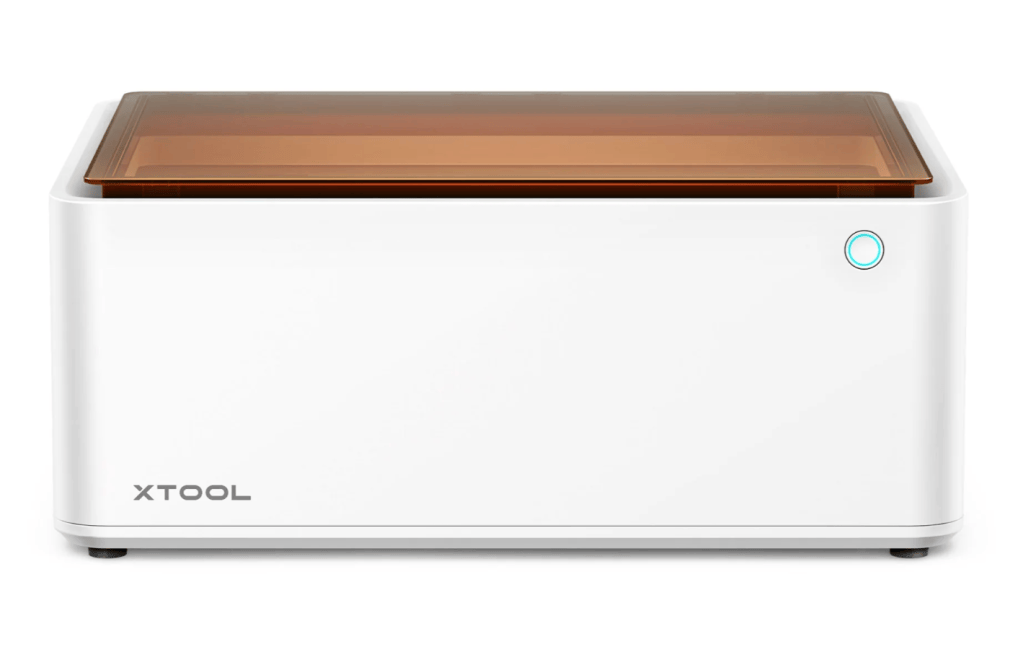
An honorable mention here is a 2-in-1 machine from xTool that combines laser engraving & vinyl cutting. This machine went over the $1,000 mark but it really is worth mentioning for those that may want to laser engrave and also create unqiue custom graphics or even cool stickers to add to your crafts and projects.
Check out this model here: XTOOL M1
Features Include:
- SMART CAMERA
- 360o ROTARY
- 10W LASER
- USER FRIENDLY SOFTWARE
- 2 IN 1 MACHINE
- SIMPLE DRAG & DROP
- EFFIECIENT VENTILATION
- 12-MONTH WARRANTY
Getting Started with Your Budget Laser Engraver
Once you’ve made your choice and your budget laser engraver has arrived, it’s time to embark on your creative journey. I recommend joining various laser engraving communities that can be found on facebook, youtube, reddit, and some dedicated forums that can be found by a simple google search. You will be able to find all the necessary resources needed to learn your chosen laser engraver.
Safety Precautions and Maintenance
Safety should always be a top priority when working with laser engravers. Don’t forget to pick up some safety goggles specific to the wavelength of your laser engraver. Additionally, maintenance can be done on your machine to ensure longevity and optimized engraving quality to keep top notch crafts.
Conclusion
In conclusion, the world of laser engraving is now accessible to everyone, thanks to the availability of budget-friendly engravers. We’ve explored six of the best options, each with its unique strengths, allowing you to find the perfect match for your creative endeavors. Whether you’re a hobbyist, a small business owner, or a DIY enthusiast, these engravers can help you unlock your creative potential without stretching your budget.
So, go ahead and explore the world of laser engraving, personalize gifts, create custom products, and bring your artistic visions to life—all without breaking the bank.
Frequently Asked Questions (FAQs)
Q1: What materials can I engrave with budget laser engravers?
A1: Budget laser engravers are versatile and can engrave materials like wood, acrylic, leather, paper, and some metals. Always check the specifications of your chosen engraver for material compatibility.
Q2: Are budget laser engravers suitable for beginners?
A2: Yes, many budget laser engravers are designed with beginners in mind. They often come with user-friendly software and detailed manuals to help you get started.
Q3: Can I use budget laser engravers for business purposes?
A3: Absolutely, budget laser engravers are suitable for small businesses, startups, and entrepreneurs looking to add personalized or custom engraving services to their offerings.
Q4: How do I ensure safety when using a laser engraver?
A4: Safety is paramount. Always wear laser safety glasses, ensure proper ventilation in your workspace, and follow the manufacturer’s safety guidelines provided in the user manual.
Q5: What is the maintenance required for budget laser engravers?
A5: Regular cleaning and maintenance are essential. Clean the lens, mirrors, and machine components according to the manufacturer’s recommendations. Keep the machine free from debris and dust for optimal performance.
This comprehensive guide equips you with all the information you need to choose the right budget laser engraver and start creating personalized and unique projects.
NOTE: we may receive an affiliate commission when clicking on a link or applying a discount/coupon code.
DIY Upgrades and Mods for Budget Laser Engravers
Budget-friendly laser engravers often come with a basic setup, but there’s a vibrant DIY community eager to tweak and enhance these machines. If you’re delving into the world of DIY upgrades, here are some popular modifications you might consider:
1. Disabling the Alarm System
One frequent hurdle for beginners is the machine’s alarm system, which can be silenced with a simple command in the console:
- Command:
$64=0
This adjustment allows for a seamless startup without any alarming notifications. By default, the system often reverts to $64=1, initializing in alarm mode, which can be mystifying for newcomers.
2. Installing Limit Switches
Many budget engravers support the addition of limit switches:
- Purpose: Enhance the precision and safety of your machine.
- Steps: Connect the switches to your mainboard and enable them through machine settings.
These switches help protect the machine and improve operating accuracy.
3. 3D Printed Parts and Accessories
The DIY community has embraced 3D printing to create various enhancements:
- Riser Feet: Elevate the machine to accommodate thicker materials.
- Focus Block Holders: Ensure optimal laser focus by securing the focus block.
When creating these parts, you might need to adjust print sizes slightly for the best fit, as certain models might require a scaled version to function properly.
4. Customizable Grids and Spoil Boards
Enhance your workspace by crafting custom spoil boards:
- Grid Creation: Use software like Lightburn to create a personalized grid on the spoil board, aiding in precision alignment and measurements.
5. Community and Support
Tap into the vast online forums and groups where users share experiences, tweaks, and parts that can be 3D printed or sourced from third-party suppliers. This support network can be invaluable for exploring further modifications and troubleshooting issues you may encounter.
These modifications don’t just make your engraver more functional; they can transform it into a more user-friendly and efficient tool, bringing your creative projects to life with ease.