
So, you’ve got an idea. Maybe it’s a dream of starting a side hustle from your garage, creating personalized gifts that people will treasure forever. Maybe you’re an artist ready to bring your digital designs to life on wood and acrylic. Or perhaps you’re a small business owner looking to level up your production. Whatever your dream, you’ve probably realized that a laser cutter is the key to unlocking it.
And if you’ve done any research, you’ve seen one name pop up over and over again: OMTech.
But let’s be honest, looking at all the different models, numbers, and technical terms can feel overwhelming. What’s the difference between a 50W and an 80W laser? What even is a “Ruida controller”?
Don’t worry. This guide is here to cut through the confusion. We’ll break down everything you need to know in simple, easy-to-understand terms. By the end, you’ll know exactly which OMTech laser is the perfect partner for your creative and business goals.

Understanding the Different Types of Lasers
First, let’s quickly cover the main types of lasers. Think of them like different tools in a toolbox. You wouldn’t use a sledgehammer for a finishing nail, right? The same idea applies here.
- CO2 Lasers: This is the most common and versatile type for creators. A CO2 laser is your all-around workhorse. It can cut and engrave organic materials like wood, acrylic, leather, paper, and glass. All the main OMTech machines we’ll talk about are CO2 lasers.
- Diode Lasers: These are typically lower-power and are great for beginners or hobbyists focused only on engraving. They are simpler but less powerful and much slower than CO2 lasers.
- Fiber Lasers: This is a specialized tool. A fiber laser is the king of marking metals and hard plastics. If your main business is engraving metal parts, this is the laser for you.
For most people reading this guide, a CO2 laser is the perfect choice because it offers the best combination of power and versatility.
The OMTech Laser Lineup: Which One is for You?
OMTech has a laser for everyone, from the weekend hobbyist to the full-time business owner. Let’s find your perfect match.
The OMTech Polar: The Stylish Desktop Laser

- Who it’s for: The crafter, the Etsy seller just starting, or the serious hobbyist who wants power in a sleek, user-friendly package.
- What it’s great for: Small projects like custom coasters, jewelry, leather patches, and detailed engravings on tumblers.
- The Bottom Line: The Polar is beautiful and powerful for its size. It’s the perfect entry point if you’re focused on smaller items and want a machine that’s easy to set up and use right out of the box.
The K40 Desktop Lasers: The Classic Entry-Point
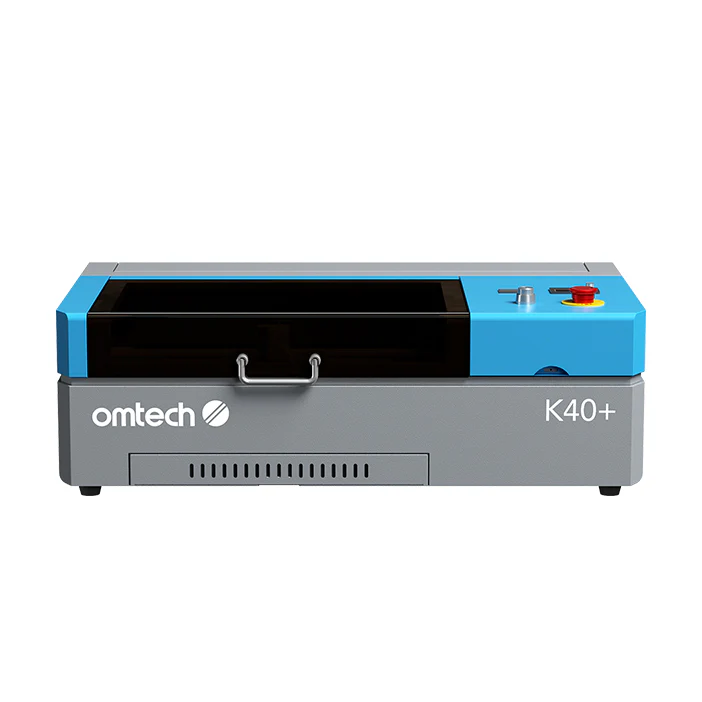
- Who it’s for: The tinkerer, the budget-conscious beginner, or someone who loves to upgrade and modify their tools.
- What it’s great for: Learning the ropes of laser cutting and engraving without a huge initial investment.
- The Bottom Line: The K40 is a legendary starting point. It’s a bit more hands-on than the Polar, but it’s a capable machine that has a massive online community for support and upgrade ideas.
Mid-Range CO2 Lasers (50W – 80W): The Small Business Workhorses

- Who it’s for: This is the sweet spot for most small businesses. If you’re serious about turning a profit, your search likely ends here.
- What it’s great for: Everything! Custom signs, large batches of tumblers, intricate acrylic designs, and cutting through thicker wood. A 60W or 80W machine can run for hours a day and become the core of your business.
- The Bottom Line: These machines offer the best balance of power, workbed size, and price. They are large enough to handle bigger, more profitable jobs and powerful enough to do them quickly.
High-Power CO2 & Fiber Lasers: For Serious Production
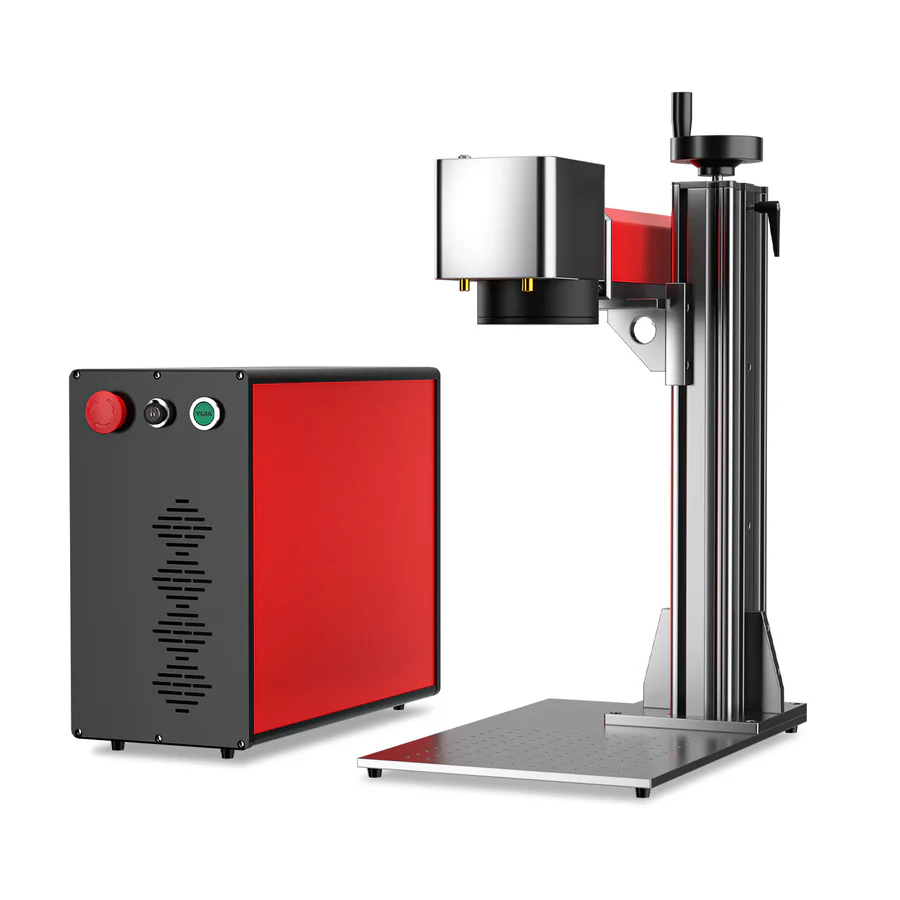
- Who it’s for: The dedicated workshop, the full-time production business, or those with specific industrial needs.
- What it’s great for: High-volume manufacturing or marking metal parts with a fiber laser.
- The Bottom Line: When your business scales up and you need maximum speed and power, these are the machines you’ll turn to.
Key Features to Consider Before You Buy
Don’t just look at the price! These features will determine what you can actually create.
- Workbed Size: This is simply the size of the cutting area. A bigger bed means you can make bigger signs or engrave more items at once.
- Laser Power (Watts): More watts mean more power. More power means you can cut through thicker materials and engrave faster. A 50W laser is great, but an 80W laser will do the same job much more quickly, which is critical for a business.
- Passthrough Doors: This is a slot in the front and back of the machine. It allows you to slide a very long piece of material (like a long plank of wood) through the machine to work on it in sections. It’s a must-have for making oversized signs.
- Controller & Software: Most mid-range OMTech lasers come with a Ruida controller. This is a very good thing! It’s the industry standard and works seamlessly with a program called LightBurn, which is the best and most popular software for controlling your laser.
Planning for the “Extras”
Buying a laser is like buying a car; the sticker price is just the beginning. To run your laser safely and effectively, you absolutely need a few key accessories. Be sure to budget for these!
- Water Chiller: A CO2 laser tube gets very hot and needs to be cooled with water. A proper water chiller keeps your laser running safely and extends its life.
- Air Assist: This is a small air pump that blows a steady stream of air right where the laser is cutting. It prevents fires, gives you cleaner cuts, and is a non-negotiable accessory.
- Ventilation: The laser creates smoke and fumes that need to be exhausted outside. Your laser will come with an inline fan, but many users upgrade to a more powerful one to keep their workshop air clean.
The True Cost of Starting Your Laser Business
So, what’s the real number? Let’s put it all together.
- The Laser Itself: This is your main cost, from around $500+ for a K40 to several thousand for a mid-range business machine.
- Shipping: These machines are heavy! Factor in a few hundred dollars for freight shipping.
- Accessories: A good chiller and air assist setup can cost between $300 and $600.
- Software: A license for LightBurn software is about $60, and it is worth every single penny.
Putting it all together, you should plan for a total investment that is about $500 to $1,000 more than the list price of the laser itself. Knowing this upfront helps you budget properly and start your business on the right foot.
How to Get the Best Price on Your New Laser
Starting a new business is exciting, but it’s also important to be smart with your money. Every dollar you save on your initial equipment is a dollar you can invest in materials, marketing, or your own pocket. While OMTech already offers incredible value, there are ways to make your investment even smarter.
Being strategic about when and how you buy can make a big difference. Waiting for holiday sales events like Black Friday is a great option. But the most reliable way to lower your upfront cost is by finding a valid discount. For any aspiring entrepreneur, taking a few moments to look for an omtech discount code is one of the easiest financial wins you can get. Shaving even 5% off a multi-thousand-dollar purchase accelerates your path to profitability and is simply a savvy business move.
You’re not just buying a tool; you’re investing in a future of creativity and financial independence. Now that you’re armed with all the right information, you can make a confident choice and start building your dream. Good luck!

Leave a Reply